Read the words together.
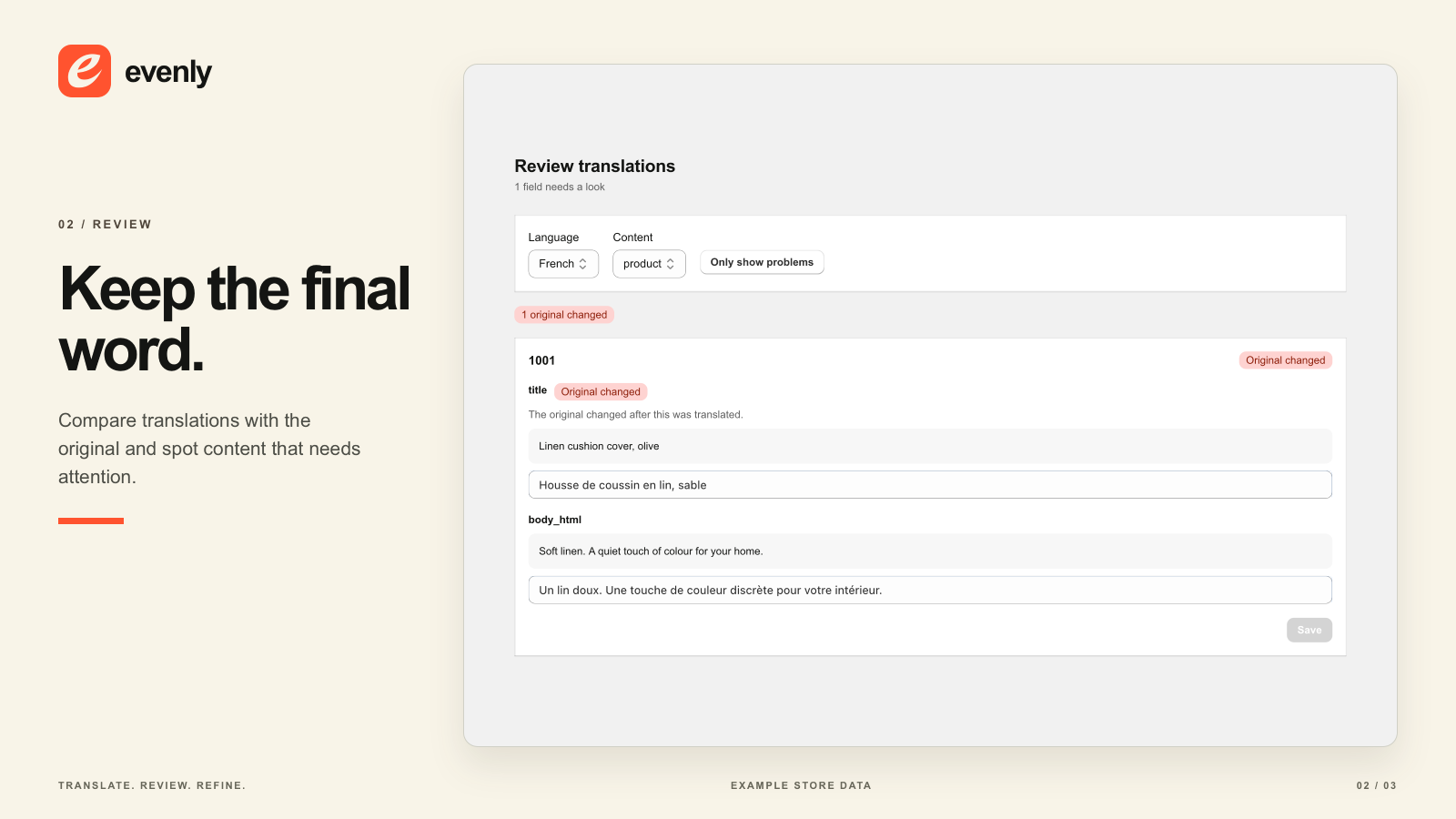
Review source text and translations side by side. Check the materials, dimensions and phrasing that deserve a closer look.
Translate Shopify content with AI while protecting manual corrections from automated overwrites. Review source and translation side by side, and guide important terms with a glossary.
Free to install for manual review. AI translation starts at USD29 every 30 days, with a processing allowance. No new free trial.
Fictional product · Form & Field
Translation · FrenchPrepared wording
01Invitez la douceur chez vous avec cette housse de coussin en lin lavé signée Form & Field.
02Sa texture naturelle et sa teinte sable s’associent facilement à vos pièces préférées.
A terminology decisionPrepared example
01Some words should travel exactly as they are. A glossary helps you set that direction.
Original · EnglishIllustrative source change
01Made from 100% linen. Concealed zip. 45 × 45 cm 50 × 50 cm.
02When source details change, the translated wording needs attention too.
You considered the materials. The finish. The product name.
The translation deserves the same attention.
Use AI for a starting point. Keep the decisions that matter in your hands, from a collection name to the way a product feels on the page.
Review source text and translations side by side. Check the materials, dimensions and phrasing that deserve a closer look.
Manual edits are protected from automated overwrites. A carefully chosen correction should not disappear in the next update.
Translations save through Shopify’s native system. Saved translations remain in Shopify after your subscription ends.
Review is not a separate approval stage. Saved translations can appear immediately on your storefront in published languages. Check important wording and product claims carefully.
A 20-second illustrative store demo: the same brand across English, French, Spanish and German. Prepared examples, not a live app recording.
Illustrative store demo. Concept controls and prepared translations; no connected shop or live AI.
Evenly runs inside Shopify Admin. Its published interface example shows the relationship between original content and saved translations.
Collection names. Materials. The words your customers recognise. Use a glossary to guide important terminology rather than leaving every choice to the next translation.
Try the prepared terminology example ↗Prepared example from a fictional brand. A glossary guides generation; check saved wording for accuracy.
Add tone controls and your own writing examples to the glossary. Brand Voice gives the translation more context about the way you want to sound.
Controls provide direction. They do not guarantee identical tone or linguistic quality. Human review still matters.
An explanation of the inputs, not a screenshot or a comparison of generated outputs.
Start with the distinction that matters: installing Evenly does not activate paid AI. Choose and approve a paid plan through Shopify when you want AI translation.
Review saved Shopify translations and save manual edits.
No AI generation or automatic updates.
Install for manual review ↗1,000 processing units per billing cycle.
2,000 processing units per billing cycle.
Your plan includes AI processing for each 30-day billing cycle. Usage depends on the content and languages you translate. There are no automatic usage top-up charges. See a worked example and full usage details.
Stay with the workflow that works for you. Eligible stores can use Translate & Adapt for up to eight automatically translated languages and weekly Auto-sync, with manual edits preserved. Consider Evenly when its terminology and brand-direction controls address a specific need in your review process. Check Shopify’s current availability.
Manual edits are protected from automated overwrites. Evenly checks source and target changes when saving. If you encounter a conflict or a field needing attention, review it rather than assuming another automated pass has resolved it. The installed interface and settings determine the action available.
Review saved Shopify translations and save manual edits while Evenly is installed. Free does not include AI generation or automatic updates. You must choose and approve a paid Shopify subscription to activate paid AI.
Use a representative product to estimate your workload. Description length, target languages and the translation model affect usage. Standard includes 1,000 units per 30-day billing cycle; Brand Voice includes 2,000. See the worked example and full usage details before choosing your plan.
The glossary guides important terms. Brand Voice adds tone controls and your writing examples, alongside twice Standard’s processing allowance and priority processing. Those inputs guide generation; they are not a guarantee of a particular tone or translation quality.
No. Review is not a separate draft approval stage. Translations saved in a published language can appear on your storefront immediately. Review sensitive details, materials, measurements and claims carefully.
New AI work stops when the paid subscription ends. Saved translations remain in Shopify. You can continue to review and edit them manually while Evenly is installed. Shopify manages the subscription approval and billing process.
Evenly uses Shopify’s native translation system and supports Shopify content made available through it. Every theme, app, checkout workflow and language has not been independently verified. Check your particular content and workflow before relying on it.
No. It uses prepared wording from a fictional product to explain review and terminology decisions. It is not connected to a shop, does not run AI and does not save or publish content.
Explore the prepared example before deciding whether Evenly fits your store.
No account needed for the example. Paid AI requires a separately approved plan and available allowance.
Already installed? Open Evenly from Apps in your Shopify admin.